All Posts By

Roland

Film Projects

Music video with Lucy Grubb

April 27, 2021
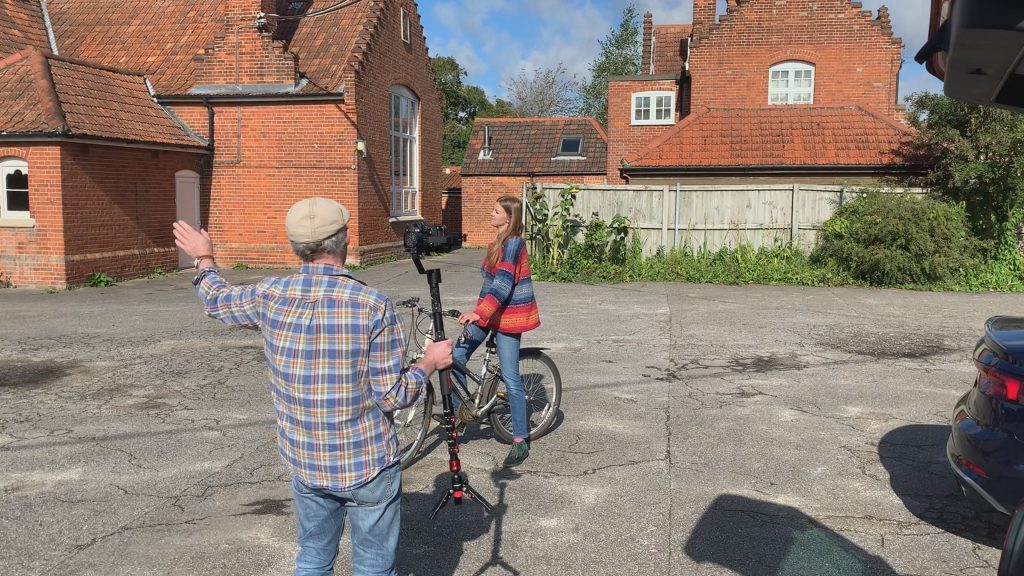
Filming by the side of the Bridewell in Norwich

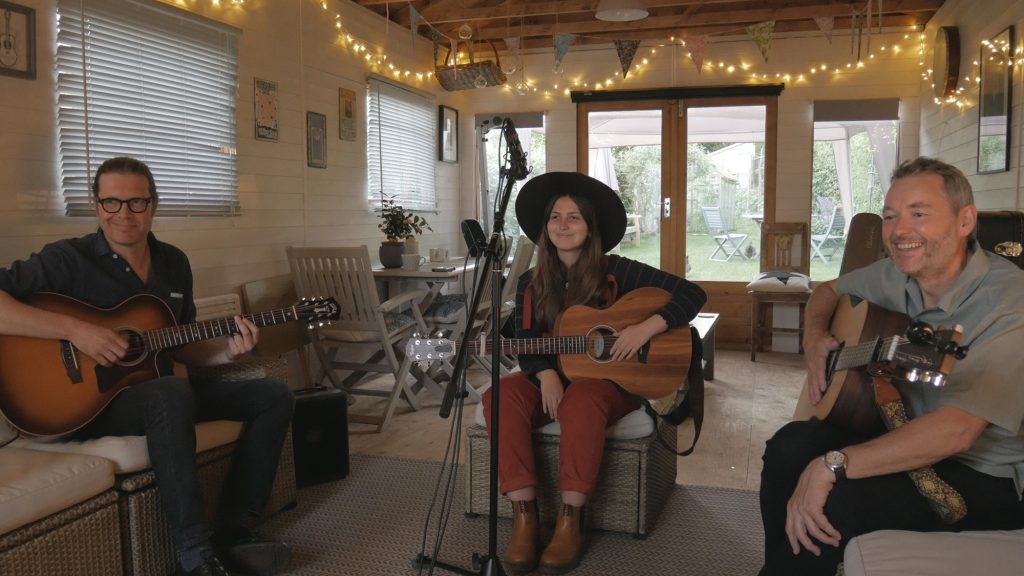
With things easing from lockdown on 12 April, it has been good to hear of musical life picking up a bit and, in that spirit, I was glad to be asked by Lucy Grubb to film a music video for a single (You Don’t Do Anything) from her upcoming next EP release. Lucy is a Norfolk-based country and Americana singer/songwriter, who has been carving out a name for herself and her band, not least at various music festivals.

In this case the music was pre-recorded in the studio, so it was the usual case of miming to the track. When I say usual, I think I’ve only done one like this before, so it was a fun exercise for me, from planning through to editing. The idea (which fitted the theme of the song) was to have Lucy moving forwards continually throughout the video, passing through or past the band members (Kevin Burton, Piers Hunt, Richard Poynton, Richard Ward and Paul Weston), with locations – all around Norwich – changing fairly frequently.

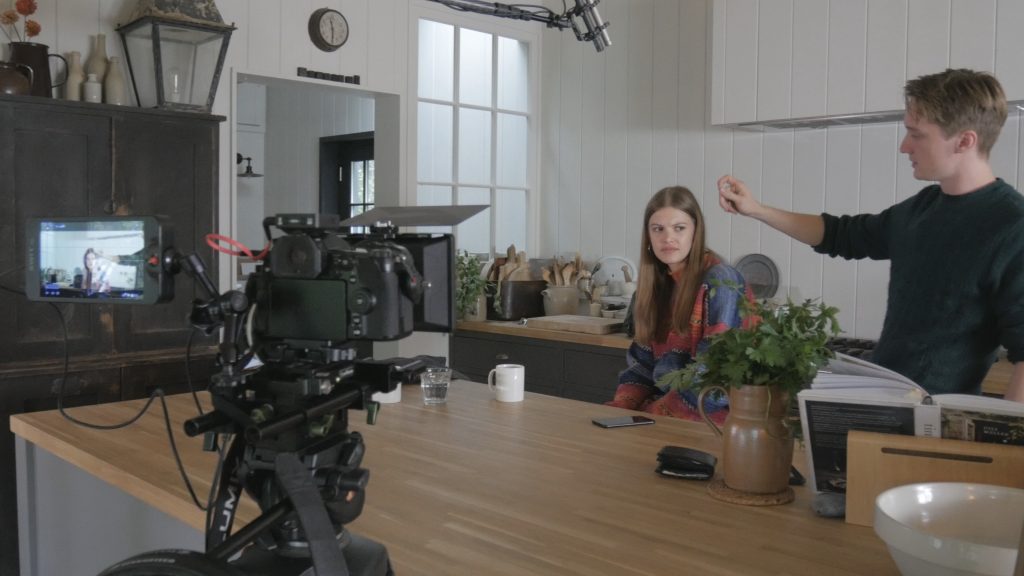
So it was a lot of backward-tracking camerawork. I tested out the old wheelchair as dolly idea (think of Jean-Luc Godard’s Breathless), but, while doubtless fine for smooth-floored interiors, it was clear it wouldn’t be one for pavements or, even, cobbled streets, so I stopped being lazy and used a gimbal (a Zhiyun Crane v2). Eschewing my Meike T2 cinema lens-based rig with follow-focus, I went for the lighter Leica Lumix 12-60mm on my Lumix G9, using autofocus just to lock on focus for each shot (but not to track focus) and avoided any wafer-thin depth-of-field shots. I’m not sure what the serious pros use for playback of the audio track, but we managed fine with a linked pair of Bluetooth speakers: one by the camera and Lucy, and one by the band. Loud enough, especially for early on a Sunday morning (dodging the post-lockdown shopping throngs). Despite my rust, all went well on the shoot last weekend, not least thanks to two helpers (good to have band members old enough to have teenage offspring), and with the weather settling down to the hoped-for grey sky with enough wind to give (guitarist) Richard Poynton’s long Covid hair sufficient movement… I edited in Vegas, giving it a fairly heavy grade tied into the muted colours of the band and, indeed, the locations (see pics).

You can play the song on Spotify and here’s the finished video:

And filming at Elm Hill

Camera Gear DIY Projects

This camera is not for turning…

March 25, 2021
Compact follow-focus rig with an anti-twist Arca-type plate.

The best ideas for inventions are those that turn out to have already been thought of and produced. OK, that means you can’t make your fortune, but odds are you wouldn’t make the leap from an idea hatched in the shower to a production line anyway: and, anyway, you can go out and buy the thing with none of the hassle of being the next James Dyson. This happened to me with my genius solution to feeling all tangled up and constrained by sleeping bags when camping: just imagine if the sleeping bag had separate legs and arms? Well, as you probably know but I didn’t, you can buy these already…

To the case in hand, I’ve long been frustrated how stills cameras rotate all too easily on tripods, fixed (in the loosest sense of the word) by a single 1/4″ screw and lacking the additional pin hole found on camcorders. With stills cameras then moving into video and, for cinematic focusing, then needing follow focuses, the need for anti-rotation got all the more compelling. While camera companies vie about 4k and 8k, or 10-bit and raw on mirrorless cameras, nobody seems remotely bothered to drill a hole in the base to allow a second pin to stop rotation. An L-bracket or a cage can sometimes solve the problem, but, unless you need one, they are clunky additions, making access to controls and connections much harder and losing the carefully designed ergonomics of the camera. Also, many L-brackets and cages are just not rigid enough or not fixed to the camera well enough. With my compact – and cageless – follow-focus rig for my Lumix G9 I’ve found the old problem rearing its head, with the camera sometimes gradually rotating away from the follow focus to the point that, eventually, the gear disengages. So my genius ‘invention’? Well, simply a small Arca-style plate with a ridge at the front, forming a snug fit against the front of the camera: with the G9’s flip screen there is no value in a ridge or lip at the rear. Visions of finding someone who could mill one for me proved unnecessary since, as you will have guessed, the idea has already been thought of. Oddly, though, I haven’t simply missed something common, as such plates are incredibly obscure. Arca themselves sell an anti-twist plate (the blandly named ‘Kameraplatte 40mm’) as do Really Right Stuff (the equally unrevealingly named ‘B9 Multi-use bidirectional plate’), but both are extremely pricey for a small bit of metal with a lip (€63 and $49 respectively), need an allen key to tighten, and are hard to find in the UK. And then I came across the plates made by the Colorado Tripod Company in the USA: a perfectly sized 40mm plate (they do 60mm and 85mm-long versions too) with a bolted-on lip, and, unbelievably (since their well-made kit isn’t generally cheap), available for $10 (in my case £9 on Amazon UK). It turned up today, and is a supremely well-engineered plate, and even includes miniature bubble levels: you can tighten it with fingers or a coin. I might not have made my fortune with a new invention, but it hasn’t cost me a fortune either: I just wish I’d realized, and hunted for, the solution to camera twisting before.

UPDATE 18.6.2021. Well, sadly my optimism about the off-the-peg anti-twist plate wasn’t entirely merited: after a month or so in use I found the plate still undoing from time to time: not as badly as before, but enough to be frustrating. The reason for this is evidently the slot (instead of a hole) for the screw, also common to the more expensive offerings from Arca and Really Right Stuff, which, while designed to allow fitting of the plate to different cameras, allows the screw to loosen when used with a follow-focus. Doubtless, the designers didn’t have that in mind. What is needed, evidently, is a plate with a hole rather than a slot for the screw, which, of course, means a plate designed perfectly for the camera body. So, after all, it was necessary to DIY something: I simply added an aluminium bar at exactly the right point (with some very careful sub-millimetre measurements) to an existing Arca plate and – voilà – at last I have got there: in use it has proved reliably rigid.

Colorado Tripod Company anti-twist Arca-type quick-release plate with lip at the front or rear. The detachable front/rear part with the lip (and bubble levels) is bolted on from below and further aligned by two pins that slide into the main part of the plate. Sadly, like any such lipped plate with slot for the screw (which allows it to fit many different cameras), it will still loosen under the duress of a follow-focus.
My modified Arca-style plate with the screw through a hole and an aluminium bar bolted on so as to perfectly abut the front of a Lumix G9. Not pretty, perhaps, but at last rock solid with a follow-focus.
And here’s the DIY-modified plate on the camera. I’ll probably paint the aluminium addition black in due course, but, meanwhile, it is clearer for these photos.
Audio Projects Film Projects

Experimenting with moving or POV stereo ambiences…

March 6, 2021
Setting off in the cause of research…or seeking ridicule?

I think Lockdown III must be getting to me: I’ve been pondering over stereo ambiences for film lately, wondering if they ever are or should be recorded while moving to match the POV (point of view) of the camera?

This was stimulated by thinking about sound for an upcoming project with drone footage, where the drone will follow the course of a small local river from source to sea – flying fairly low and slowly. I want the sound to match the view – along the bubbling stream, the passing over of weirs, cows and sheep being flown past etc. Obviously bunging a couple of mics on the drone isn’t an option given the noise of the motors and rotors, so any ambiences will need to be recorded quite separately. Initially I thought of helium balloons: I calculated that seven normal-sized party balloons would lift a pair of Rode Wireless GO II transmitters into the air, but, the more I have thought about this the more complex it seems: a totally windless day seems essential and, even then, trying to stop the mics spinning or, harder, trying to get the balloons in the right place seem fraught with difficulties. And then, more fundamentally, what does a moving stereo recording actually sound like? In other words, would it even be worthwhile trying to do this?

Recording to the miniscule MixPre-3

Drawing a blank through internet searches (the nearest thing being people trying to record the sounds of – say – a bike travelling, rather than just the ambience without evidence of the mode of transport), and not knowing how the soundtrack of any film with apparent moving stereo ambiences was actually made, it seemed easiest to experiment. A bicycle appeared to be the best bet for near-silent travel, as long as fast speed or free-wheeling was avoided. After initial less than satisfactory attempts with semi-binaural set-ups of lav mics by my ears and either side of a rucksack (both getting far too much bike noise, and, also, showing up the inadequacies of furry wind-protection for these mics), I rigged up a boom pool to a sheet of ply, cut to the shape of a rucksack, to mount the mics well above me (so further from the bike and road noise) and to prevent unwanted rotation. The mics were omni SDCs mounted end-to-end in a single blimp to minimize windnoise (see my post here on using mics in this way). Extending the boom pole very far got unwieldly, so it was only partly extended. Sound was recorded to a Sound Devices MixPre-3 on a light harness. The results were in a different league to the lav mic experiments, but the bike was still very evident and, above all, I’m not at all convinced that the sense of movement is very strong. This last point is critical. In short, I have no doubt that a better result could be achieved by recording general ambiences and specific sound effects from static positions and amalgamating them into the soundtrack to give the illusion of moving through space: doubtless this is what sound designers know and do, anyway, but it is good to experiment and find that, sometimes, the seemingly logical approach doesn’t work. And if, in doing so, I’ve gained an eccentric reputation in the village (yes, cycling with a blimp on a vertical boom pole does look extremely silly), then so be it…

For anyone interested, here is a recording of one of my tests with the SDC spaced pair in blimp, including the reaction of a passing neighbour.

Audio Gear

Testing the new Rode Wireless GO II

February 27, 2021
Rode Wireless GO II recording into an Android phone

Putting your equipment through its paces is part of getting to understand it properly. Given its newness (only released this week), my tests on the Rode Wireless GO II might be of wider interest: so here’s a post about them.

First, a quick bit of background. I’m not normally in a rush to adopt new technology, but this week – following the death of an old handheld recorder (my Sony M10) and while planning a couple of projects – I was looking at lav mic self-recording back-up options, and Rode’s new offering seemed on the nail and very timely. I know the first version was nothing like a professional wireless mic set up (not least for its dropouts when out of line-of-sight), but I’d found it eminently usable for the particular and less exacting uses I bought it for: in particular, the sound quality stood up compared to the same lav mic hard-wired. So, rather than wait for anyone to get round to a thorough test – as opposed to the numerous unboxing and product review vlogs that will doubtless flood YouTube – I ordered one from CVP.

Overall audio quality

There are different aspects to the audio quality of such a system, including its on-board mics vs external lavs, its on-board recorder vs transmitted audio, and both the recorder and the transmitted audio vs a better system.

Using a Sound Devices MixPre-3 to provide a decent sound source into the Rode Wireless Go II transmitters

Most interesting to me was to take the on-board and external lav mics (both of which have relatively high self-noise due to their small diaphragms) out of the equation, and test the recorder and wifi alone. For this, I fed the two transmitters with a stereo signal of a simple acoustic guitar recording (recorded with a spaced pair of 7dBA Rode NT2a mics in fig 8 mode) via my Sound Devices MixPre-3 (feeding a signal from the stereo out at -6dB to give a reasonable level at the transmitters, comparable to that of the mics above). I recorded the transmitted signal via the USB out of the receiver. Here are the clips, with no processing added:

Original MixPre-3 recording:

Rode Wireless GO II on-board recorders in uncompressed/broadcast mode:

Rode Wireless GO II on-board recorders using the compressed/standard mode:

Rode Wireless GO II transmitted recording:

The verdict? Well, see what your ears say. The most obvious positive is that the Rode Wireless GO II on-board and transmitted audio show remarkably low self-noise: there is effectively no hiss in the short lead-in. The most obvious negative is the lack of bass response: OK the datasheet shows a frequency response graph with a sharp fall-off below 100Hz, but this appears to relate to the mic. Needless to say, you can boost the bass response in post, and here is a quick EQ’d version (I looked at the bass fall-off in the Rode Wireless GO II using pink noise, though my resultant EQ might be a bit too heavy – but it makes the point):

And, of course, what is effectively a high-pass filter isn’t a significant problem with intended use (speech) and will aid reduction of wind noise and other unwanted low frequencies.

So my overall view on the audio quality of the electronics? Well, the transmitted and on-board recordings sound surprisingly good: OK not up to the level of a Sound Devices MixPre-3 and not ideal for music recording, but easily good enough for use with the on-board lav mics or external lav mics (or other PIP mics such as Micbooster’s Clippy mics) for speech or ambience/nature recording, and perhaps usable – in the way that you might use a small handheld recorder – for music recording where, for whatever reason, a better and more conventional set-up wouldn’t work. Also, the compressed on-board recordings don’t sound too bad at all, despite my natural dislike of lossy compressed formats!

On-board mics

Given the mic in the original Rode Wireless GO, I was reasonably optimistic about it and, also, conscious that a) different people like different lav mics and b) I don’t own any of the more expensive lav mics (such as those made by DPA). But, for what it is worth, here’s a simple comparison of Rode’s lav mic (that’s their more expensive one – at c.£160 – and perfectly usable) vs the on-board mic recording a voice (apologies for the performance!), and recorded via the Rode Wireless GO II’s receiver (both digital out, into an Android phone running USB Audio Recorder Pro, and via the 3.5mm output into a Sound Devices MixPre-3).

Rode Wireless GO II on-board mic via digital out on the receiver:

Rode Wireless GO II on-board mic via 3.5mm analogue out:

Rode lavalier mic plugged into Rode Wireless GO II via digital out on receiver:

Rode lavalier mic plugged into Rode Wireless GO II via 3.5mm analogue out:

The verdict? The on-board lav mic is quite usable if – and this is the key – you don’t mind the transmitter being visible too. The much more secure furry windshields of the new model at least make this more feasible. And as for the difference between digital and 3.5mm output, there is little in it. Well at least with a decent sound recorder: of course, the difference will be greater if choosing between USB into a phone and analogue into a camera with poor audio.

Range and dropouts

As I said, I found the original Rode Wireless GO usable for my purposes, but I can’t deny that a more robust wifi signal wouldn’t be useful. Indeed, for many, it would be essential. The 200m line-of-sight spec for the new version (vs 70m for the original version) shows an improved wifi capability, and this is borne out even in initial, simple, testing. For example, whereas the original Rode Wireless GO – under my test conditions (a rural Norfolk village) – experiences dropouts from around 20m when worn on the rear of the subject (or ‘talent’) – i.e. blocked by the wearer’s body – the new version worn in the same way is good for about 35-40m. Obviously, different locations will produce different results, but this suggests much more suitability for, say, wedding videographers, where, of course, the recorder provides a back-up anyway. For professional sound recordists’ use (e.g. television and film) the improved signal strength is probably immaterial as the units lack the range, features, robustness and ease of control of professional wireless systems such as those produced by Audio Ltd. and Lectrosonics.

Field-recording (an update of 15.3.2020)

Rode Wireless GO II TX units in action for stereo ambience recording…

Having had the Wireless GO II for a few weeks, I’ve had a chance to use it for different scenarios, one of which is as a remote field recorder. Here the ability to use the two TX units as a remote spaced-pair of omni mics opens up all sorts of possibilities, not least recording sounds of nature (such as timid birds) from afar. Of course, if the tests above suggest that the on-board mics or the electronics aren’t are not high enough quality, you can simply use the system for monitoring: for example, running SDC mics into a Sound Devices recorder, and plugging the TX units into the recorder’s stereo out so you can hear what is being recorded from afar. Taking the Sound Devices example you could, of course, use the wireless remote control (Wingman) for the recorder too, though I haven’t tried that combination or, indeed, tested the Bluetooth range. Anyway, what I have tried out is simply recording remotely with the on-board mics, both within a Rode blimp and with their supplied fluffy windshields: of course, the former, while restricted to 35cm spacing, provides more wind protection, but the Wireless GO windshields on their own were surprisingly good and allow any spacing (in my tests this happened to be 46cm). And the fluffy windshields of the new TX units fit much more securely than those of the original Rode Wireless GO. So here are a couple of examples, one in very high wind (we had gales at the weekend) and one in slightly less windy conditions. Both just with the TX units alone and their own fluffy windshields, and simply placed in a holly tree in the garden (near the road), as in the photo above. The recordings are from the RX unit’s USB output.

Stereo ambience recording (garden in high wind):

Stereo ambience recording (garden in moderate wind):

Audio Gear DIY Projects

Primo capsules – for lav mics and DIY

February 7, 2021
A pair of the tiny Primo EM272 omni capsules: add two wires and a 3.5mm plug and you are ready to record!

Primo microphone capsules are much-loved by the DIY crowd, especially the omni EM172 (now replaced by the EM272) capsule: it is a 10mm capsule with 14dBA self-noise. As such it offers similar scope to a lavalier (lav) mic for times when you want something much smaller than a small diaphragm condenser (SDC) mic, but has much lower self-noise: lav mics typically have around 22-5dBA self-noise, which can be pretty noticeable for many recording uses, such as ambience and nature recording. The sound quality is on a par with capsules used in mid-range handheld recorders, but, of course, once you have external mics you can be much more flexible. For example the omni mics on the much-loved Sony PCM10 are too close together for stereo, so plugging in a pair of EM272 mics allows for a proper spaced pair: you can clip those to your hat, the sides of your specs or, to look slightly less silly and to avoid your head movement giving odd shifts in the stereo image, to the sides of a bag or rucksack.

And the best thing about the Primo capsules is that they are cheap. Currently in the UK an individual bare capsule is £12.78 from FEL Communications Ltd (Micboosters): FEL/Micboosters also offers various versions (e.g. pre-soldered), other Primo capsules (including cardioid and figure 8: see below), matched pairs and, for those not into DIY, capsules already made up into finished mics – their Clippy and Pluggy models. There are a couple of other manufacturers who use Primo capsules in affordable mics, the most well-known of which is LOM in Slovakia, but I think Micboosters is the only one that also sells the bare capsules: and it is one of those great small British companies, run by the very helpful Nick Roast, who has worked as a BBC sound engineer for over 30 years.

A pair of Clippy mics

I have a pair of the Clippy mics (together with Rycote furry covers that are made specifically for them), which are useful for discreet or minimalistic stereo recordings and as lower noise lav mics for dialogue. And I have used bare EM172 capsules for what Curt Olson – who inspired my experiments – calls a ‘head-spaced parallel barrier array’, albeit in my case small enough to fit inside a Rode Mk1 blimp and with some of the mic placement attributes of SASS arrays: the circular baffles are c.90mm diameter and the mics are 160mm apart. Surprisingly effective. I’ve also used an EM172 to make a boundary mic, with the capsule set off-centre in a disk of perspex (150mm diameter and 5mm thick). Perhaps next I should buy some silicon ears (I see Micboosters sell them too) and make a binaural head with a pair of EM272s, as others have done.

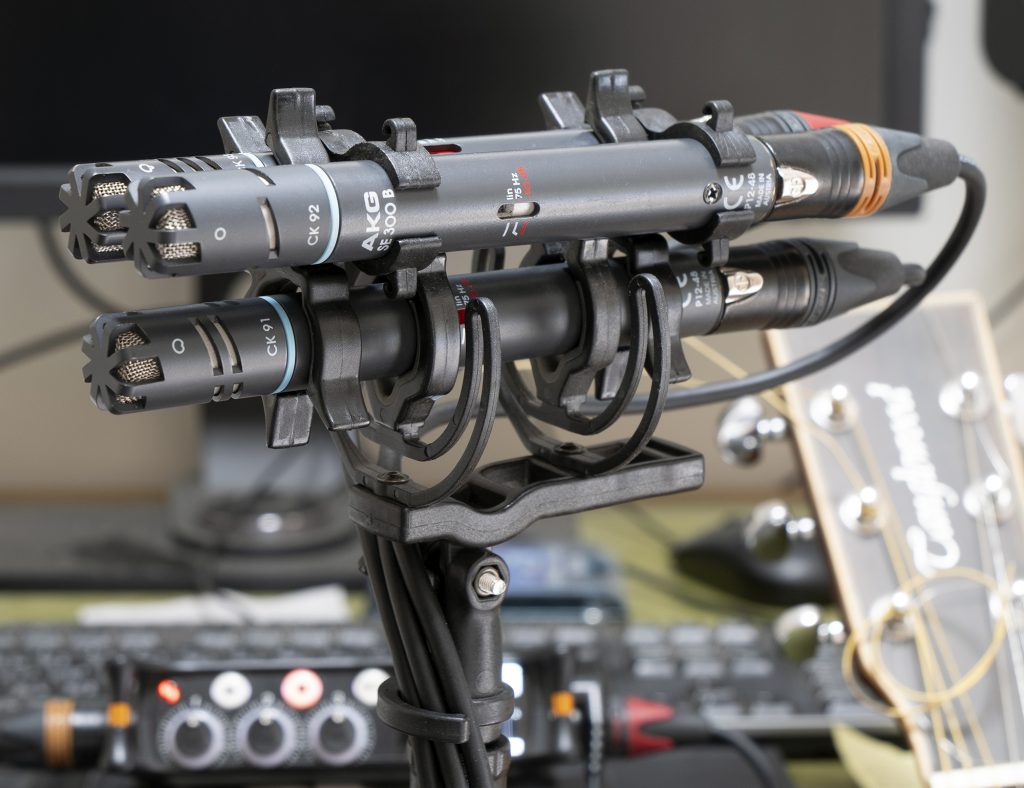
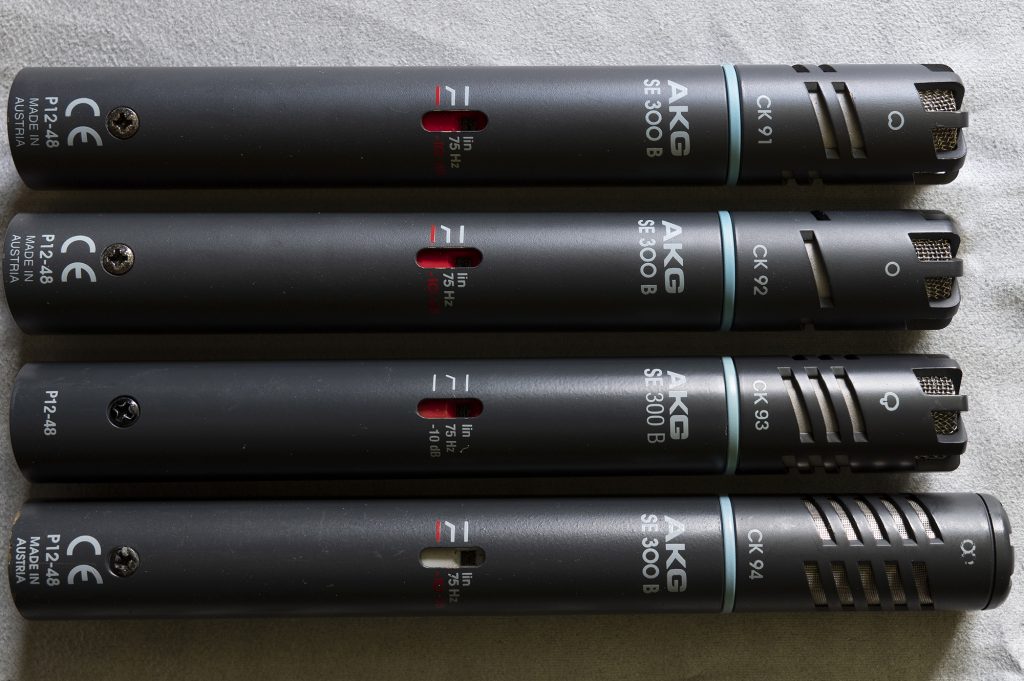
Primo also make a single diaphragm figure 8 capsule (the EM283), again 10mm diameter, but this is not normally available via retailers. I noticed that Micboosters had started selling them and, as I had never heard of the capsule nor could find anything about it via the internet, I bought one for the princely sum of £19.68 for fun/curiosity. The specs are not as attractive as the EM172/EM272 and the 22dBA self-noise might be rather too high for many, but it is fine when used as part of a mid-side pair for louder sources such as music or some street ambiences. I found that the EM283 capsule needs better RFI screening than the EM172 and EM272, but that’s nothing unusual. I just bunged it in an old sawn-off shotgun mic tube for testing and, though this makes the mic unnecessarily large, it is fine – all hum eliminated. At some point I’ll get around to making a smaller housing with the fine mesh screening I have bought for the job. Not entirely sure if I’ll make much use of this capsule, unlike the EM172 and EM272 ones, but it has proved useful in an odd way: I had been thinking of acquiring an AKG CK94 figure 8 mic to provide the side mic for a mid-side pair with my CK93 hypercardioid, but was worried about self-noise (the CK94 is also 22dBA) and this convinced me that for my intended use I really do need something a lot quieter (so will need to save for an MKH30). UPDATE 26.5.2021: despite my conclusions about the EM283, I did buy a used AKG CK94 after all (a bargain came along) and its theoretically identical self-noise of 22dBA is not at all problematic. Lesson learned? That not all self-noise specs are equal! I’ve written a blog post about the new mic here.

So the final word: I’d really recommend playing around with bare Primo capsules as a cheap way to learn about arrays, and, even if DIY isn’t your thing, I’d recommend a pair of ready-made Clippy mics with these capsules as a great and very affordable alternative to a pair of lav mics for those occasions when SDC mics (and P48 power) aren’t feasible.

Primo EM272 capsules as delivered: matched pair with measured sensitivity a bit better than the published specs.
A head-spaced parallel barrier array – with the influence of SASS arrays – built to fit inside a Rode Blimp.
A boundary mic with an EM172 capsule: so simple and cheap, but better performing than so many commercial offerings.
A size comparison of a Clippy mic and a miniature lav (in this case my Rode lav). The Clippy’s EM172 capsule makes it rather chunkier, but for many uses this isn’t a problem, and it is still small enough to hide under much clothing.
Experimenting with a Primo EM283 fig 8 capsule: mounting it inside part of an old shotgun mic body.
And using the Primo EM283 fig 8 mic as the side mic in a mid-side mic pair with a Rode NT55.